In this article, you can read in a few short steps how to use the Notification Dangerous Goods service.
How does Notification Dangerous Goods work?
Dangerous cargo on arrival
In the top section, you specify the dangerous and/or harmful cargo that is on board upon the vessel’s arrival in the port. For bulk vessels, you specify this per tank or hold.
Handling per berth
The screen automatically shows all berths visited during the vessel call, as specified in the Visit screen. For each berth, you indicate the cargo operations that take place there. This includes, in any case, loading and discharge activities. For liquid bulk, you also specify cleaning activities (washing, ventilation) and inerting here.
Dangerous cargo on departure
The PCS automatically derives the dangerous and/or harmful cargo on departure from your specifications above. You therefore do not need to enter anything else for this.
In the PCS you can request this on arrival for the municipalities of Rotterdam, Dordrecht, Maassluis, Moerdijk, Papendrecht, Schiedam, Vlaardingen and Zwijndrecht. This also applies to the exit point; there the PCS shows the cargo that is on board when departing the port.
Complete reporting and send
When you have finished registering the dangerous goods, click Complete. The screen in which you can send the notification will then open.
General functionalities
Upload stowage form
You can download an empty Excel form and have the dangerous and/or harmful cargo on arrival completed by the master or crew. You then upload the completed form in the screen and use it in your notification to the Harbour Master.
Download stowage on departure
You can download the dangerous and/or harmful cargo on board on departure (automatically calculated by the PCS) as an Excel form. You can upload this form again later for a next call.
Partial discharge of bulk cargo
When specifying a discharge activity, you can indicate that a tank or hold is only partially discharged. You then specify the quantity that is discharged at that berth.
Based on the quantity on arrival and the discharged quantity, the PCS automatically calculates how much is still on board on departure. This way, you only need to enter the data for this substance once (for the cargo on arrival).
Lightering
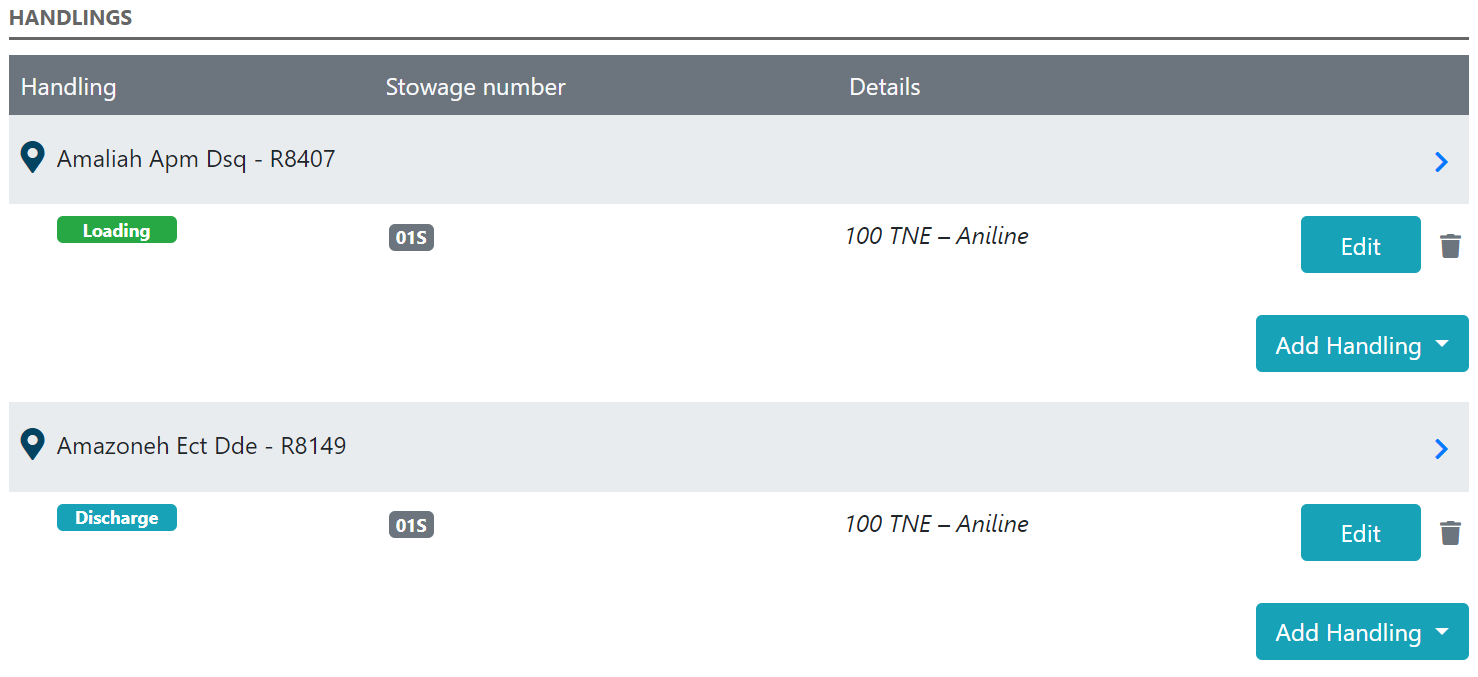
In the reporting application, you can now also easily report lightering (loading and discharging within the same vessel call). You do this by reporting the loading operation at one berth and the discharge operation at the other berth.
 Transit
When transiting cargo, enter it under cargo on arrival. You do not need to specify handling for this cargo, because transit means that no handling takes place. The PCS automatically includes this cargo again under cargo on departure.
Liquid bulk
Cargo on arrival (Tanks at Arrival)
You are required to report empty, unclean cargo tanks to the Harbour Master.
To maintain an overview and prevent you from forgetting one or more tanks, include the vessel’s full tank configuration in Tanks at Arrival.
Then, indicate the status per tank:
not empty – tank with cargo
residue – residue remaining after discharge
not gas free – cleaned but not ventilated
empty – clean and ventilated
For each of these statuses, add inert where applicable.
Slop tanks
You can include special slop tanks (or cargo tanks in which wash water is stored) as regular cargo tanks, specifying the status Residue (inert).
In the tank coding, add an S in the third position to indicate that it is a slop tank. For example: 03SP, 04SS.
As the substance name, state the most determining substance from which the wash water originates. In the remarks field, indicate that it concerns wash water.
Cargo operations (Handlings)
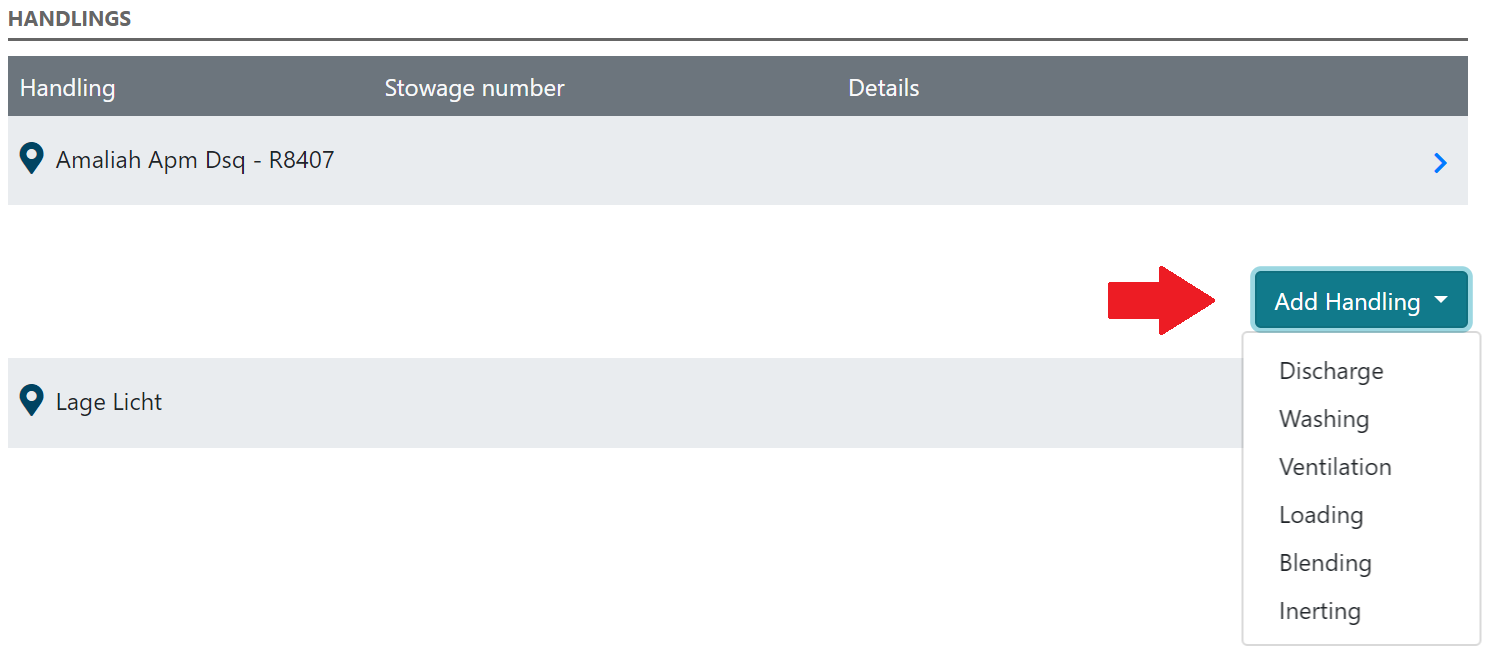
Per berth, you indicate which handling takes place and for which tank(s).
The types of handling are:
Discharge
Washing
Ventilation
Loading
Blending
Inerting
You can only select tanks included in Tanks at Arrival for the handling at a berth.
Based on the tank status, the PCS automatically determines which types of handling are possible. For example, you cannot apply Washing to non-empty tanks. In this way, the system reduces the chance of input errors.
 Washing / Ventilation
If cleaning takes place at a berth, add a handling of type Washing at that berth. You can indicate whether it concerns a pre-wash or a medium/commercial wash.
For a commercial wash, you also specify the destination of the wash water:
on board in the same tank
on board in another tank
ship-to-ship
overboard
In addition, for a commercial wash you can indicate whether ventilation takes place immediately after washing.
For tanks that have already been washed and are only being ventilated, use the handling Ventilation.Blending
Topping up tanks with the same substance can be done via a regular Loading handling.
If another substance is added to the cargo in a tank and this creates a new (dangerous and/or harmful) substance, use the handling Blending. You then specify:
which substance is added (free text; does not have to be dangerous or harmful)
which dangerous and/or harmful substance this creates
the quantity that has been added
Inerting
To ensure that the PCS can correctly determine the status of the tanks on departure, it is important to also specify any inerting of tanks.
Dry bulk
Cargo on arrival (Holds at Arrival)
In this section, you include the holds in which dangerous and/or harmful cargo is present upon arrival in the port.
You do not need to report holds with bulk cargo that are not designated as dangerous or harmful (unless they have been fumigated; see below).
You also do not need to report empty holds.
Different substances in one hold
The reporting application assumes a maximum of one substance per hold. If a hold is divided with bulkheads and therefore contains different substances, include these as separate Position entries. You can do this, for example, by adding a letter after the hold identification.
Fumigated cargo
For bulk cargo that has been fumigated abroad, you can indicate in the hold details that this hold is Fumigated. Then enter the required data.
In addition to this notification, you must submit an additional declaration for fumigated cargo. This declaration concerns:
hiring a fumigation expert
working according to a plan of approach (PvA)
approval from the berth owner
Fumigated bulk cargo that is not dangerous and/or harmful cargo
For the time being, this cargo can only be reported as Breakbulk.
Then enter:
Cargo: Fumigated Cargo transport unit UN 3359 Class 9
Position: the hold number
Gross Weight: the cargo quantity
Remarks: the name of the fumigant used, the date of treatment with the fumigant and the company name of the fumigation expert leading the operation
- Select the fumigation method. When you select phosphine, aluminium phosphide or magnesium phosphide as the fumigation method in the dropdown, you must indicate whether sleeves or loose tablets were used. In addition, you must also indicate:
- the number of sleeves added in the port of loading;
- the number of sleeves with residues that were removed;
- the name and contact details of the commissioning party of the fumigation supervisor;
- the name and contact details of the fumigation supervisor escorting the vessel;
- the name and contact details of the company carrying out the discharge and sweeping of the vessel;
Packed (containers, trailers and general cargo)
Cargo on arrival (Containers at Arrival)
In this section, you include the containers in which dangerous and/or harmful cargo is present upon arrival in the port.
You do not need to report containers without dangerous or harmful substances.
Exception: empty tank containers that still contain cargo residues (including vapours). For these containers, you specify the relevant substance and that they are Unclean. The PCS then automatically sets the quantity data to zero.
Packaging
For Outer packaging, you specify the outermost packaging layer within the container (so the container itself does not count as packaging).
For Inner packaging, you specify the innermost packaging.
Stowage container vessels
According to ISO standard 9711-1, you report stowage on container vessels in the format Bay/Row/Tier: BBBRRTT.
If the bay number contains fewer than three digits, add a zero (0) in front of it.
The PCS automatically completes this to seven positions.
Stowage RO-RO vessels
You also report containers on RO-RO vessels as containers. The format of the stowage locations differs from that of container vessels:
0011333XXX44
00 = Deck
11 = Lane
333 = Position
XXX = Reference Point (FOR or FRN)
44 = Level
Restowage
When transit containers are placed in a different position on board during loading or discharge, you can easily indicate this with the Restow handling.
For each container, you then specify the new stowage position.
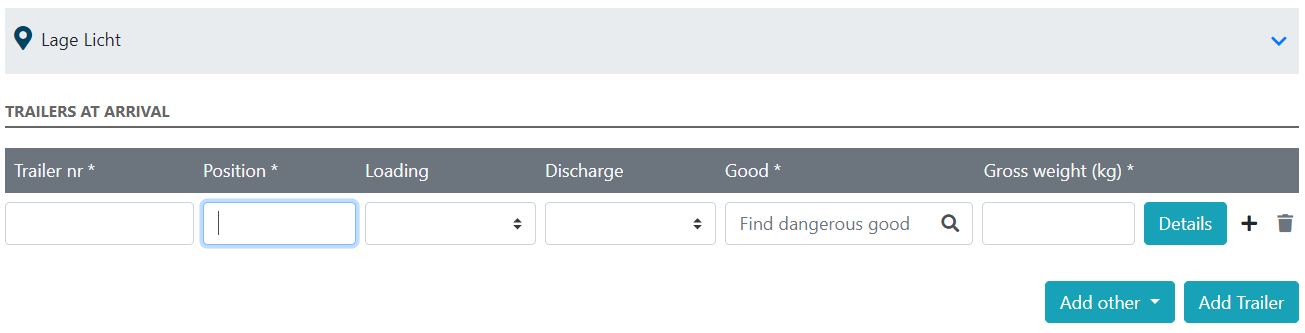
Cargo on arrival (Trailers at Arrival)
In this section, you include the trailers in which dangerous and/or harmful cargo is present upon arrival in the port.
You do not need to report trailers without dangerous or harmful substances.
In the same way, you also report rigid box trucks that contain cargo.
For Outer packaging, enter the outermost packaging layer within the trailer.
For Inner packaging, enter the innermost packaging.
Trucks and trailers are usually transported on RO-RO vessels. The format of the stowage locations on RO-RO vessels is: Deck/Lane/Position(FOR or FRN)/Level.
 Cargo on arrival (Breakbulk on Arrival)
In this section, you include the breakbulk items that contain dangerous and/or harmful substances upon arrival in the port.
The PCS automatically numbers these breakbulk items. You use these numbers to identify the cargo items for the discharge activities.
For Outer packaging, enter the outermost packaging layer of the breakbulk. For Inner packaging, enter the innermost packaging.
Part of